Describe it.
Play it.
Minecraft mods from a single sentence. Modable writes the code, builds it, and hands you a working .jar.
Stuck? Pick an idea from the hotbar, or press 1–9
Custom mobs
New mobs, not just tweaks.
Describe a creature and how it behaves. Modable designs a blocky 3D model, paints its pixel-art texture, animates it and gives it a spawn egg. The model uses Blockbench’s format, so you can open it and make it your own.
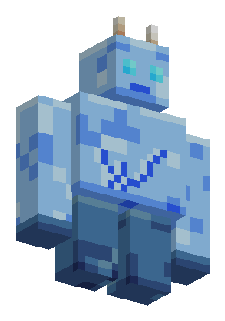
Frost Golem
“An ice golem that guards villages”
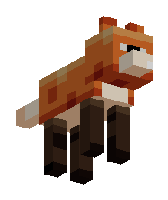
Ember Fox
“A tameable fire fox”
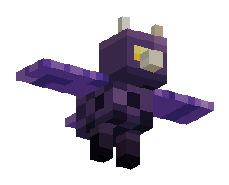
Cave Wyvern
“A small wyvern that lives in caves”
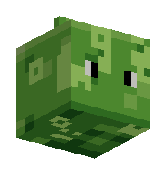
Moss Blob
“A mossy slime that hops around swamps”
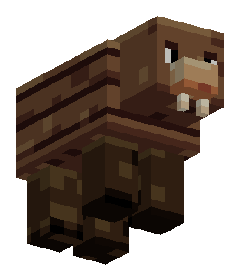
Custom mobs work on Minecraft 1.19.3 to 26.2 (22 versions) today. In multiplayer, the server and every player need the mod.
Follow-ups
Keep making it better.
Modable remembers the mod it built. Ask for a change and it edits the same project and builds a new .jar.
First build
“A sword that calls lightning on whatever it hits”
Follow-up
“Give it a 5-second cooldown and a crackle sound”
Follow-up
“Make it craftable from a lightning rod and diamonds”
Versions
30 versions.
1.18 to 26.2.
Pick the version you play. Modable sets up the matching Java toolchain and Fabric build for it automatically.
Java 17
1.18.1 – 1.20.4 · 12 versions
Java 21
1.20.5 – 1.21.11 · 14 versions
Java 25
26.1 – 26.2 · 4 versions
Hover a version. The right toolchain is picked for you.
FAQ
Questions,
answered.
What is Modable?
An AI tool that makes Minecraft: Java Edition mods. Describe a feature or a new mob in plain English and Modable writes the Java code for a Fabric mod, makes the pixel-art textures and blocky 3D models it needs, compiles it, and gives you a .jar to drop into your mods folder. It only makes Minecraft mods: no photos, video, or images of real people.
Can Modable make new mobs?
Yes, on Minecraft 1.19.3 to 26.2 (22 versions). Describe the creature and what it does. Modable builds its 3D model, texture, animations and spawn egg, and the "Custom mob" switch in the composer lets you force it on or off (by default Modable decides).
Do I need to know how to code?
No. You describe the feature in plain English. Modable writes the Java, sets up the build and compiles it for you.
Which Minecraft versions and loaders work?
Fabric mods for 30 Minecraft versions, from 1.18.1 to 26.2. Forge and NeoForge are planned for later.
How do I install a mod I made?
Install Fabric Loader and Fabric API for your Minecraft version, then drop the .jar into your .minecraft/mods folder and launch the Fabric profile. Mods that add new mobs or items also need to be on the server in multiplayer.
What happens if the build fails?
Modable reads the compiler error, fixes its own code and builds again. If it still can't get there, you'll see what went wrong and can try a simpler description.
Can I change a mod after it's built?
Yes. Ask for changes in the same chat. Follow-ups on the same mod don't count as a new one.
Can I use my mods commercially?
Paid plans include a commercial license. Mods from the free trial are for personal use.
What does Modable do with my Google account?
If you continue with Google, Google shares only your name, email address and profile picture so we can create your account. Modable can’t see your Gmail, Drive or anything else in your Google account, never sells your data and never uses it to train AI. The details are in our Privacy Policy.